
Reference

bt111 bet App for Your Phone

The app puts live tables, slots, and your wallet in your pocket. Open an account and download to your Android or iOS device in seconds.

AndroidiOSAPK 28MBPush alertsFingerprint login
bt111 bet bt111 bet App for Your Phone
bt111 bet Slots and Live Tables at Your Fingertips

Slots and Live Tables at Your Fingertips

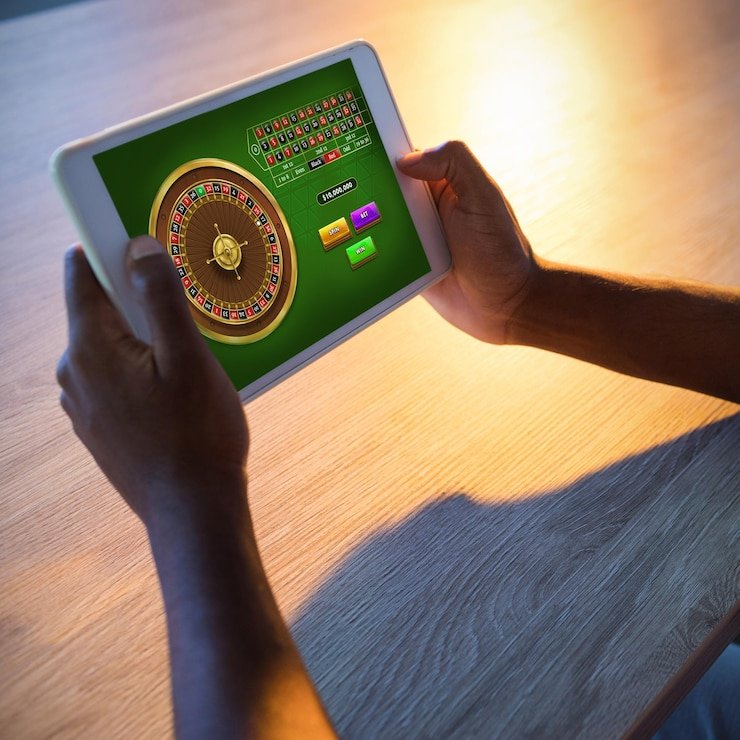
Our app is built for the way you play. Get notified the moment a live table opens or a new slot room drops. Deposit via JazzCash, Easypaisa, or Raast without leaving the app, and your balance updates instantly. Switch between live roulette, blackjack, and slots without refreshing. The app also remembers your favourite games, so you jump straight back into what you

were playing last session.

APP FEATURES

Built for Speed and Ease

Fingerprint Login Open the app and tap your fingerprint to log in.
Push Notifications Get alerts when a live table starts, a tournament begins…
Quick Deposit Fund your account from the app wallet in one tap.
Dark Mode Play late into the night without straining your eyes.
Offline Lobby Preview Browse games and your account details even when your connection…
Betslip On the Go Place live bets and sportsbook wagers while you're moving between…
bt111 bet Get the App Running in Minutes

Get the App Running in Minutes

Download takes under a minute on most connections. Once installed, sign in with your account details or create a new account. You're in the lobby and can start playing immediately. The whole process—from first tap to placing a bet—usually takes fewer than three minutes.

  • Step 1: Download APK or Visit App Store — Go to Google Play for Android, or the App Store for iOS. Search for bt111 bet and tap Install. The app is about 28MB, so it's quick even on slower networks.
  • Step 2: Allow Install from Unknown Sources (Android Only) — On Android, you may see a prompt to allow installation from unknown sources. Tap Allow, then continue. This is a standard security step for sideloaded apps.
  • Step 3: Open, Sign In, and Play — Tap the app icon, enter your account details, and you're in. Your JazzCash, Easypaisa, and Raast wallet options are already set up.

Check Your Phone Meets the Specs

Android VersionAndroid 6.0 (API level 23) or higher. Works on most phones from 2016 onwards. Older devices may run the mobile site instead.
iOS VersioniOS 12 or higher. Compatible with iPhone 6s and newer. iPad also supported for a wider table view.
RAM and StorageMinimum 2GB RAM; 3GB or more recommended for smooth play during live tables. You need roughly 50MB free storage after app install.
Supported RegionsDownload and access depend on local law and your region. The app is available where local law permits in Pakistan.
Internet ConnectionWiFi or mobile data (3G/4G/5G). Live tables require stable connection; slots work on slower speeds.
INSIDE THE APP

Tour the Lobby on Your Screen

When you open the app, the first thing you see is the live tables—roulette, blackjack, baccarat—all streaming and ready to join.

Live Table Lobby
Pinned Slot Favourites
Sportsbook Tab
Account Balance
Quick Notifications
Wallet Top-Up
bt111 bet mobile gaming
HELP IS HERE

Get App Support When You Need It

In-App Chat Tap the support icon at the bottom of the screen. A chat window opens and you're talking to our team in seconds, no exit needed.
Email Support Send a message to our team and receive a reply within a few hours. Attach screenshots of any login or payment issue.
Install Troubleshooting If the app won't download or crashes on launch, our help centre has step-by-step fixes for Android and iOS. Most are one-tap solutions.
SECURITY AND TRUST

Your Account and Download Are Secure

Code Signing

The app is digitally signed by bt111 bet. No altered copies are in circulation. When you download from Google Play or App Store, you get the official version.

No Third-Party Stores

We distribute only through Google Play, the App Store, and our official website. Never download from unofficial marketplaces or links.

Account Recovery

Forgot your password? The app sends a recovery link to your registered email in seconds. Your account is always accessible if you know your details.

Encrypted Payments

JazzCash, Easypaisa, and Raast transfers are encrypted end-to-end. Your wallet balance is only visible to you and our system.

Fingerprint Biometric

Your phone's fingerprint sensor locks the app. Even if someone has your device, they can't access your account without your finger.

Regular Updates

We release security patches monthly. The app alerts you when an update is ready. Install promptly to keep your account safe.

Why the App Feels Faster

Speed
The app caches the lobby and game list locally, so it loads instantly next time you open it. The browser downloads everything fresh each session.
Notifications
Only the app sends you push alerts when a table starts or a slot feature is live. The browser can't notify you if you're not on the page.
Battery
The app is optimised to use less power than a browser tab left open. Live tables run cooler and longer on the app.
Offline Access
Browse your pinned games and account details even if you lose signal for a moment. The browser needs an active connection to show anything.
Biometric Login
Use your fingerprint to open the app. The browser requires you to type your password every time or stay logged in (less secure).
Shortcuts
Add the app icon to your home screen and jump straight into the lobby. The browser icon just opens a search bar unless you save a bookmark.

App Questions Answered

Yes. Install the app first, then tap Create Account inside. You'll set up your login, add your phone number, and link a payment method. Account creation takes about two minutes, then you're ready to explore the lobby.

Google Play is the standard app store for Android; it handles updates automatically. The APK is a direct download from our website. Both are the same app and equally secure. Use Google Play if possible, so you get automatic security updates.

The app needs Android 6.0 or iOS 12 and at least 2GB RAM. Phones from 2016 onwards usually qualify. If your device is older, you can still play on the mobile browser—it works on nearly any phone that connects to the internet.

Yes. Open the app, go to your wallet, and tap Deposit. Choose your payment method—JazzCash, Easypaisa, or Raast—follow the prompt, and your balance updates within seconds. The app remembers your saved payment details for next time.

Go to your account, tap Withdraw, choose your payment method, and enter the amount. The withdrawal is processed to your JazzCash, Easypaisa, or Raast account. Most withdrawals reach you within a few hours.

Your bets and balance are saved in our system, not just on your phone. Close and reopen the app; you'll see your account exactly as it was. Any bets you placed before the crash are still active.

Instead of saving a password, use the fingerprint login feature. It's faster and more secure. If you prefer a password, do not save it; enter it fresh each time you open the app.